









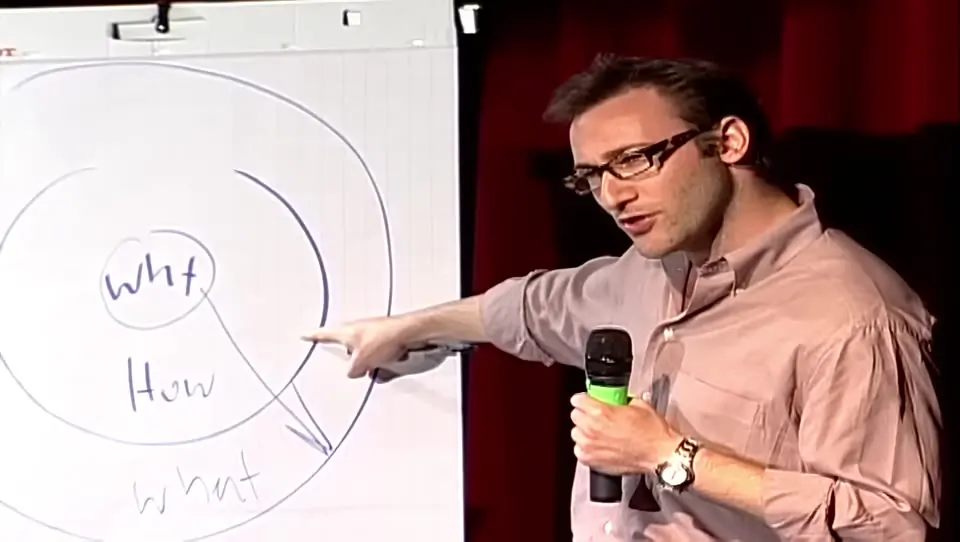


The Golden Circle Marketing Contrast
Demonstrates the difference between selling features and selling a core belief using the Apple example.
Upload a long interview, podcast or talk. Pogclip reads the whole transcript and hands back vertical shorts with captions, each scored with the reason it was picked.
Scrubbing through two hours of footage to find thirty good seconds is the slow part. Pogclip does that read for you and leaves the final call to you.
MP4 files sized for TikTok, Reels and YouTube Shorts, framed on the person speaking.
Each clip starts and ends on a sentence, so it makes sense without the rest of the video.
Clips are ranked by hook, flow and value, with one line on why each was picked.
Fix any word, choose one of three styles or turn captions off before you export.
Download each clip’s captions as SRT, VTT or TXT alongside the MP4.
Drop in an MP4 up to 2 hours and 10 GB, horizontal or vertical. If you only need part of it, set a start and end time before processing.
Pogclip transcribes the video, reads it from start to finish and returns the moments that stand on their own, best first, each with a score and a reason.
Move the start and end, correct the captions, change the framing if you need to, then download a vertical MP4.
A two-hour recording usually holds a handful of moments worth posting, spread unevenly: a sharp answer at minute 14, a story at minute 71. Watching it all again to find them takes longer than the recording itself. Pogclip reads the transcript end to end first, so a moment late in the video gets the same attention as one near the start, and a clip only comes back to you when it makes sense without the question or setup before it. Every clip is still a suggestion you can trim, reframe or skip.
Long recordings fail in a few predictable ways. Here is each one, and what to do about it.
Each file can be up to 2 hours. Split a longer recording into parts, such as each half of a long stream, and upload them one by one.
Export the recording again as a 1080p H.264 MP4. At a typical 1080p bitrate, a 2-hour video fits under 10 GB, and Pogclip’s vertical clips don’t need more than that.
Picks and captions are built for English speech. Other languages aren’t supported yet, so results will be poor.
Framing follows faces. When the slides carry the point, switch the clip to Screen + face or Fit so nothing important is cropped out.
Pogclip frames whoever is speaking. For a two-person shot, use Split to stack both people in one vertical frame.
Clips are cut from the transcript. Music under the voices or people talking over each other make the words and cut points less accurate, so upload the cleanest audio mix you have.
Before you upload, use the full recording rather than a rough cut, with the clearest audio track you have. If only one segment matters, such as the Q&A at the end of a talk, set the start and end time instead of cutting the file yourself: it is faster, and you only pay for the part you choose.
Sample Simon Sinek, How Great Leaders Inspire Action, TED: one horizontal recording, 18:35 long. Pogclip found 4 moments that work on their own. These are the top 3.
Demonstrates the difference between selling features and selling a core belief using the Apple example.
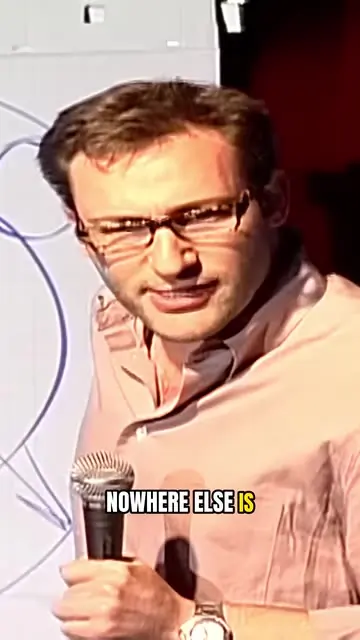
Uses a historical story to show that resources don't guarantee success, but purpose does.

Explains why gut feelings are real by linking decision-making to the brain's anatomy, not just psychology.
Up to 2 hours and 10 GB per MP4 file. Your first video is free for up to 60 minutes; with a longer file, choose a 60-minute part of it.
Yes. After you upload, set a start and end time. Pogclip only reads and clips that part, and only that part counts toward your minutes.
Split it into parts of 2 hours or less and upload each part as its own project. Pogclip checks the length as soon as you choose the file, so you won’t upload a file it can’t process.
By the length of the part you choose to process, rounded up to the next minute. Failed processing costs nothing, and editing and exporting are included.
Yes. Along with the vertical MP4, each clip’s captions download as SRT, VTT or plain text, so you can upload them separately or reuse the words.
Framing follows the face of the person speaking. When two people share the screen or slides matter, switch the clip to Split, Screen + face or Fit in the editor.
Your first one is free, up to 60 minutes.
Shorter video, or want the full picture? See the AI clip maker