











The video clipper that finds the clips for you
No timeline to scrub and nothing to install. Upload an interview, podcast or talk, and Pogclip reads the full transcript and hands back the moments worth posting as vertical clips, cut on full sentences.
How Pogclip decides where to cut
A clip that starts mid-word or leans on a question nobody heard is hard to post. In our samples, 8 long videos came back as 18 clips, each a complete answer or story. These are the rules every suggested clip follows.
Cut on sentences
Cut points come from the transcript, so a clip opens at the start of a sentence and ends once the thought is finished, not at an arbitrary second. You can still move either edge.
Makes sense on its own
A moment only comes back if it works without the question or setup before it. You get a few clips you could post, not dozens of fragments to sort through, and some videos get none.

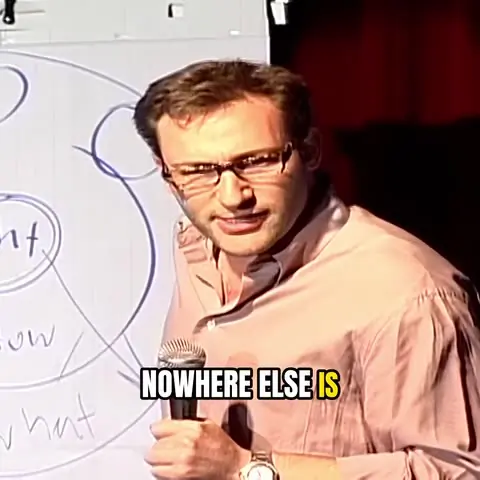

Ranked, with a reason
Each clip gets a score for hook, flow and value, plus one line on why it was picked, so you can start with the strongest. The score is not a prediction of views.
The length you want
Leave it on Auto, or aim for under 30 seconds, 30–60 or 60–90 before processing. In the samples, Auto clips run from 0:12 to 2:42.
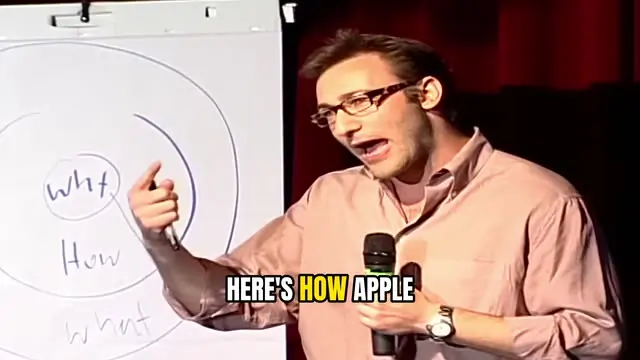

Framed on the speaker
Clips come out 9:16, following the face of whoever is talking, instead of a fixed center crop. Switch to Split, Screen + face or Fit when that works better.
Captions you can fix
Word-by-word captions in one of three styles. Correct any word or turn them off, and download them as SRT, VTT or TXT.
Why read the transcript instead of watching the picture? In a conversation the picture barely changes: the same people, the same chairs, for an hour. What changes is what they say. Reading every word lets Pogclip tell a finished answer from a half-thought, so a moment at minute 48 gets the same attention as one at minute 3, and you don’t have to watch the whole recording again to find it.
How to clip a video online
Upload an MP4
Choose a file up to 2 hours and 10 GB. If you only need part of it, set a start and end time, and pick a clip length if Auto isn’t what you want.
Review the clips
Pogclip transcribes the video and returns the moments that stand on their own, best first, each with its score and reason. Skip the ones you don’t want.
Adjust and export
Move the start or end, fix the captions, change the framing, then download the clip. Your free export carries a watermark; paid exports don’t.
Ready for TikTok, Reels and YouTube Shorts
Every clip exports as a vertical 1080×1920 MP4, with captions burned in or turned off. Need the words separately? Download them as an SRT or VTT file and upload them to the platform yourself. If the place you post caps the length, pick a length target before processing, since clips on Auto can run past a minute.
Working from a recording that runs an hour or two? See how long video to shorts works, including the limits on long files.
Video cutter or AI video clipper?
Search for a video clipper and you’ll find tools that do different jobs. Which one you need depends on whether you already know what to keep.
| If | Use | Why |
|---|---|---|
| You know the exact timestamps | A video cutter | Drag to the part you want and export. Faster than any AI tool. |
| You only want to trim the start and end | A video trimmer | One file in, one shorter file out. Nothing to choose. |
| You don’t know where the good parts are | An AI video clipper | Pogclip reads the whole recording and hands back the moments worth posting. |
What it clips well, and what it doesn’t
Pogclip picks clips from what people say. When the words carry the video, it works. When the picture does, it can’t see the moment yet.
Works well
- Interviews and podcasts, audio-led or on camera
- Talks, lectures, lessons and webinars
- Panels and Q&A sessions
- Streams and vlogs where someone talks throughout
Not a good fit yet
- Gameplay without commentary
- Music videos and performances
- Sports footage and silent B-roll
- Speech in languages other than English
Already published the video on your own YouTube channel? Download it from YouTube Studio as an MP4 and upload that file.
Questions about the video clipper
Is this video clipper free?
Your first video is free: up to 60 minutes and one watermarked export, with no card needed. After that you pay for the minutes you process, from a $12 pack of 100 minutes or $19 a month for 300.
Do I need to install anything?
No. Pogclip is an online video clipper: you upload, review and export in the browser, on a laptop or a desktop.
Can I choose exactly where a clip starts and ends?
Yes. Move the start and end of any suggested clip in the editor before you export. If you already know the exact range and only need that one cut, a basic video cutter will be quicker.
How long are the clips?
On Auto, each clip is as long as its moment needs, which can run past a minute. Before processing you can aim for under 30 seconds, 30–60 seconds or 60–90 seconds instead; Pogclip keeps complete thoughts within that target rather than padding them.
Which files can I upload?
MP4 files up to 2 hours and 10 GB, horizontal or vertical. If your recording is in another format, export it as an MP4 first.
Does it work on videos that aren’t in English?
Not yet. Clips are chosen from the transcript, and transcription, picks and captions are tuned for English speech, so other languages give poor results.
Can I clip a YouTube video by pasting the link?
Not by link yet. If the video is on your own channel, download it from YouTube Studio as an MP4 and upload that file. Only clip videos you own or have permission to use.
Clip your first video free
Up to 60 minutes, no card needed.
Want the full picture? See the AI clip maker